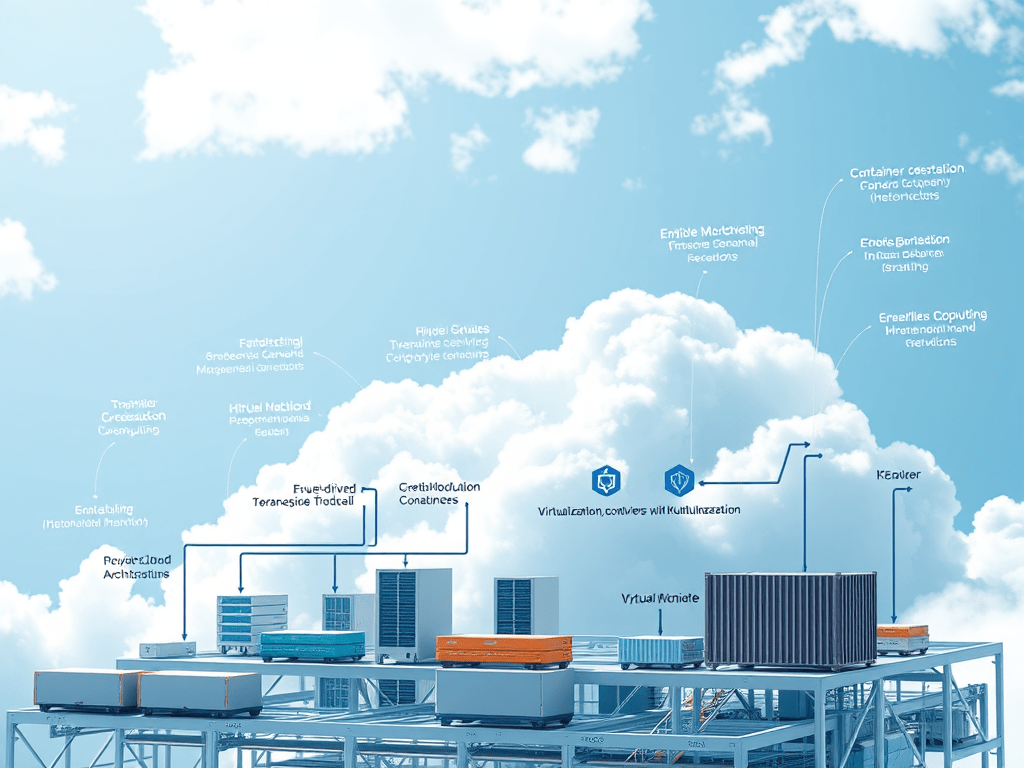
I. Choose the Right Cloud Architecture
Based on the modernization strategy (Rehost, Replatform, Refactor), we must define the target architecture:
✅ Monolithic to Microservices:
- If moving from a monolithic system, break it into microservices.
- Use container orchestration (AWS EKS, Azure AKS, GCP GKE) or serverless (AWS Lambda, Azure Functions, Google Cloud Functions).
✅ Hybrid or Multi-Cloud:
- For enterprises needing on-premises integration, use hybrid cloud solutions (AWS Outposts, Azure Arc, Google Anthos).
- If leveraging multi-cloud, design for portability and interoperability.
✅ Serverless & Event-Driven:
- For applications with dynamic workloads, use event-driven architectures (AWS Lambda + EventBridge, Azure Event Grid, Google Cloud Pub/Sub).
II. Optimize Compute Resources
Modernized web applications can run on Virtual Machines (VMs), Containers, or Serverless Computing. Each approach has advantages and is suitable for different use cases.
1. Choosing the Right Compute Model
a. Virtual Machines (VMs) – Traditional, Yet Scalable
✅ When to Use:
- When Rehosting (Lift & Shift) an existing monolithic application to the cloud.
- When applications require full control over the OS, middleware, and runtime environment.
- When legacy applications cannot be easily containerized or converted to serverless.
✅ Cloud Services for VMs:
- AWS EC2: Supports on-demand, reserved, and spot instances for flexible pricing.
- Azure Virtual Machines: Offers scalable, burstable, and compute-optimized instances.
- Google Compute Engine: Provides predefined or custom machine types.
✅ Optimization Strategies:
- Use Auto Scaling Groups (ASG) to dynamically adjust VM capacity based on demand.
- Choose right-sized instances to avoid over-provisioning (AWS Compute Optimizer, Azure Advisor, GCP Recommender).
- Opt for spot/preemptible instances for non-critical workloads to reduce costs.
- Enable load balancing (AWS ALB/NLB, Azure Load Balancer, GCP Load Balancer) for high availability.
b. Containers & Kubernetes – Scalability with Control
✅ When to Use:
- When Replatforming an application to leverage container orchestration.
- When applications require scalability but still need control over dependencies.
- When deploying microservices architectures.
✅ Cloud Services for Containers:
- AWS ECS/Fargate (serverless containers) and AWS EKS (Kubernetes).
- Azure Kubernetes Service (AKS) and Azure Container Instances (ACI).
- Google Kubernetes Engine (GKE) and Cloud Run (serverless container deployment).
✅ Optimization Strategies:
- Use container orchestration platforms (Kubernetes, Amazon ECS) to automate scaling.
- Leverage serverless containers (AWS Fargate, Azure Container Apps, Google Cloud Run) to eliminate infrastructure management.
- Optimize CPU & memory allocation using resource limits and requests in Kubernetes.
- Deploy multi-node clusters with horizontal pod autoscaling (HPA) to dynamically adjust workloads.
c. Serverless Computing – Fully Managed & Event-Driven
✅ When to Use:
- When Refactoring an application for event-driven workloads.
- When applications need to scale instantly without infrastructure management.
- When optimizing for cost efficiency by paying only for execution time.
✅ Cloud Services for Serverless:
- AWS Lambda (event-driven compute functions).
- Azure Functions (integrated with Azure Event Grid and Logic Apps).
- Google Cloud Functions (designed for lightweight serverless workloads).
✅ Optimization Strategies:
- Reduce cold starts by configuring provisioned concurrency (AWS Lambda).
- Optimize function execution by right-sizing memory and CPU allocations.
- Use event-driven scaling with SQS (AWS), Event Grid (Azure), or Pub/Sub (GCP).
- Minimize latency by placing serverless functions in edge locations (CloudFront, Azure Front Door, Cloud CDN).
2. Compute Auto-Scaling Strategies
Regardless of the compute model, modern applications require auto-scaling to handle varying workloads.
a. Vertical Scaling (Scaling Up/Down)
✅ When to Use:
- When applications have predictable load fluctuations (e.g., financial reporting tools).
- When workloads are not designed for distributed scaling.
✅ Optimization Strategies:
- Use cloud-native scaling tools (AWS Auto Scaling, Azure VMSS, GCP Managed Instance Groups).
- Set up auto-scaling policies based on CPU, memory, or request load.
b. Horizontal Scaling (Scaling Out/In)
✅ When to Use:
- When applications need to handle variable workloads efficiently.
- When running containerized workloads or microservices.
✅ Optimization Strategies:
- Deploy load balancing and auto-scaling groups (AWS ALB with ASG, Azure Load Balancer with VMSS).
- Enable horizontal pod autoscaling (HPA) for Kubernetes workloads.
- Use stateless application design to make scaling seamless.
3. Compute Cost Optimization Best Practices
Cloud costs can quickly escalate if compute resources are not optimized. Below are key cost-saving strategies:
a. Choose the Right Pricing Model
- On-Demand Instances: Flexible but expensive for long-term workloads.
- Reserved Instances/Savings Plans: Up to 72% cheaper for predictable workloads.
- Spot Instances/Preemptible VMs: Ideal for fault-tolerant, non-critical workloads.
b. Use Efficient Instance Types
- Select compute-optimized (C-series), memory-optimized (M-series), or GPU-accelerated instances based on workload needs.
- Use auto-scaling groups to right-size infrastructure dynamically.
c. Implement Workload Scheduling
- Run batch jobs during off-peak hours to take advantage of lower cloud pricing.
- Use AWS Lambda or Azure Functions for event-driven workloads to reduce unnecessary compute usage.
Conclusion
Optimizing compute resources is a critical aspect modernization, ensuring scalability, cost efficiency, and performance. Whether using VMs, containers, or serverless computing, choosing the right compute model, implementing auto-scaling, and leveraging cost-saving strategies will significantly enhance cloud efficiency.





 VuiLenDi
Leave a comment